
Most articles about the Parimatch app download begin with a download button and a few installation steps. That leaves out the questions that matter most: Is the app safe? Is it legal where you live? How can you avoid fake files or scam websites? This guide takes a different approach. Before explaining how to install the app, it helps you understand the important checks that can protect both your device and your account.
You’ll also learn the legal considerations, step-by-step installation methods, common troubleshooting tips, available alternatives if the app isn’t suitable, and practical advice for using betting platforms responsibly. By the end, you’ll have the information needed to make a more informed decision before downloading anything.
Is the Parimatch APK Safe to Download?
Before you install the Parimatch APK, it’s worth taking a few minutes to confirm that the file is genuine. Android allows users to install apps from outside the Google Play Store, but that flexibility also means fake APKs can circulate online. Downloading an altered or unofficial file could expose your device or personal information to unnecessary risk. The safest approach is to verify the source, check the file, and understand the permissions involved before installing anything.
How to verify you’re on the official domain
The first step is making sure you’re downloading the APK from the official Parimatch website rather than a copycat page.
A few simple checks can help:
- Look carefully at the website address. Clone sites often use extra words, missing letters, or different domain endings to imitate the real one.
- Type the website address directly into your browser instead of clicking random ads or links shared on social media or messaging apps.
- Be cautious of websites that immediately redirect you through several pages before reaching the download.
- Avoid third-party APK mirror websites unless you fully trust the source and understand how the file has been verified.
If something about the website looks unusual or inconsistent, it’s better not to download the file.
Checking the file before you install (hash/checksum basics)
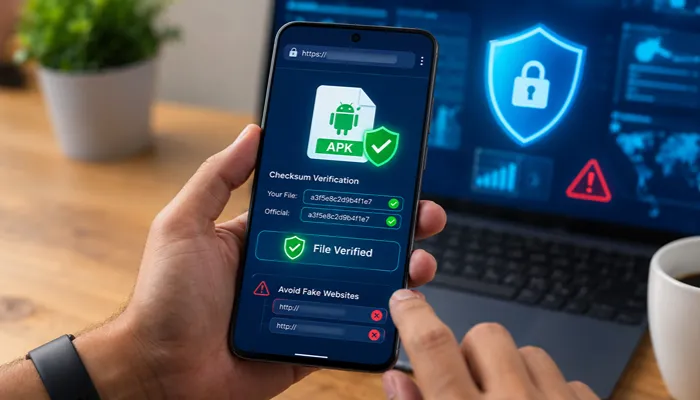
A checksum, sometimes called a hash, is a unique digital fingerprint for a file. If the APK has been modified in any way, its checksum changes.
Some software publishers provide official SHA-256 or similar checksum values alongside their downloads. If available, you can calculate the checksum of the downloaded APK with a file verification tool and compare it with the published value. When both values match exactly, it provides confidence that the file has not been altered during download.
Not every APK publisher publishes checksum information, but when it is available, verifying it is one of the most reliable ways to confirm file integrity.
What “Install from Unknown Sources” actually permits
Android blocks apps installed outside official app stores by default. Enabling Install from Unknown Sources (or Install unknown apps on newer Android versions) simply allows your device to install an APK from a selected source, such as your browser or file manager.
This setting does not:
- Give the app automatic access to your personal data.
- Disable Android’s built-in security protections.
- Permanently reduce your device’s security on its own.
However, once the app is installed, it’s good practice to disable this permission again if you don’t regularly install APK files. Doing so reduces the chance of accidentally installing software from an untrusted source later.
Spotting fake or clone Parimatch apps
Scam APKs often share common warning signs. Before installing any file, look for these red flags:
- The app requests permissions that don’t match its purpose, such as unnecessary access to contacts, SMS, or device administration.
- There is little or no information about the publisher or developer.
- The APK file size is significantly different from what is expected or from previous official releases.
- The app contains spelling mistakes, poor graphics, or inconsistent branding.
- The download page promises unrealistic bonuses or pressures you to install immediately.
- Multiple security warnings appear during or after installation.
If you notice one or more of these signs, it’s safer to avoid installing the APK and verify the source before proceeding. Spending a few extra minutes checking the file is far better than dealing with compromised software later.
Is Parimatch Legal in India? The Real Answer
Whether Parimatch is legal in India is one of the most common questions people ask before downloading the app. The short answer is that there isn’t a single nationwide yes-or-no answer. India’s gambling laws are complex, and the legal position can vary depending on where you live and the type of betting involved. Understanding this distinction is far more useful than relying on websites that simply claim the platform is “completely legal” or “completely illegal.” Before using any betting app, it’s important to understand how Indian law works, what offshore licenses actually mean, and why different legal opinions exist.
Why gambling law in India isn’t one national rule
In India, betting and gambling are primarily regulated by individual states rather than a single national law. While the Public Gambling Act, 1867 remains part of the legal framework in many areas, several states have enacted their own legislation or amended existing rules to address gambling and online betting.
As a result:
- Some states have laws that explicitly restrict or prohibit certain forms of online betting or gambling.
- Other states have different regulatory approaches or have not enacted specific rules covering offshore online betting platforms.
- Court decisions and state legislation continue to shape the legal landscape, making it important to check the rules that apply in your own state.
Because of these differences, a platform’s accessibility does not automatically mean its use is permitted everywhere in India.
What a Curaçao license does (and doesn’t) mean
Parimatch has historically operated under an offshore gaming license issued from Curaçao.
A Curaçao license generally means that the operator has been licensed under that jurisdiction’s regulatory framework and is expected to follow the licensing conditions set by that regulator. These conditions may include operational standards and compliance requirements established by the licensing authority.
However, a Curaçao license does not:
- Mean the platform has been approved or licensed by Indian regulators.
- Override Indian laws or state-level regulations.
- Guarantee that using the platform is lawful in every Indian state.
An offshore license provides information about where the operator is regulated—it should not be interpreted as proof of legal approval within India.
The grey-zone reality for offshore betting apps
Many offshore betting apps remain technically accessible to Indian users through their websites or APK downloads. However, accessibility should not be confused with legal certainty.
India does not have a single law that expressly authorizes all offshore betting platforms nationwide, nor is there a nationwide approval system covering them. At the same time, enforcement and regulatory approaches have varied across states and over time, contributing to ongoing legal uncertainty.
For users, the most practical approach is to:
- Review the laws and regulations that apply in your state.
- Understand that offshore licensing is different from Indian regulatory approval.
- Be aware of the financial and legal risks before depositing money.
- Use betting platforms only if you have carefully considered the applicable legal position.
Taking the time to understand the legal context helps you make a more informed decision instead of relying on claims that oversimplify a complex area of law.
How to Download and Install the Parimatch APK on Android
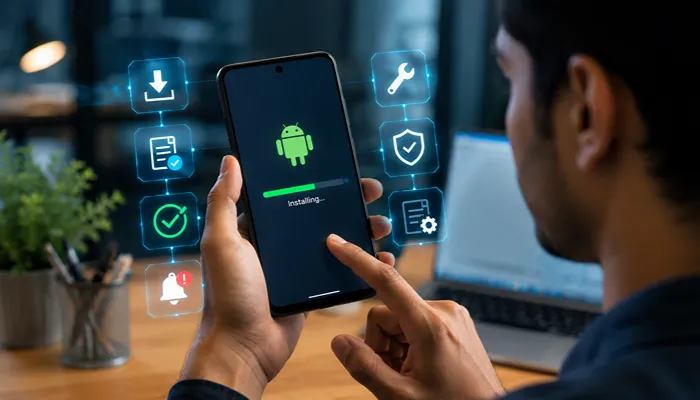
If you’ve already checked the platform’s legal status in your state and confirmed you’re downloading the APK from the official source, installing the Parimatch APK on Android is a straightforward process. Because the app is distributed as an APK file, you’ll need to allow installation from your browser or file manager before the app can be installed. Once the installation is complete, you can disable that permission again for added security.
Step-by-step installation
- Open your mobile browser and visit the official Parimatch website.
- Locate the Android APK download option and tap Download.
- Wait for the APK file to finish downloading to your device.
- If prompted, allow your browser or file manager to Install unknown apps (Android may display different wording depending on the version).
- Tap the downloaded APK file to begin installation.
- Follow the on-screen instructions and wait for the installation to complete.
- Open the Parimatch app from your app drawer.
- Sign in with your existing account or create a new account if registration is available in your region.
- For better security, return to your Android settings and disable the installation permission if you no longer need it.
Minimum device requirements
The exact requirements may change as newer versions of the app are released, but most recent Android devices should be able to run the app without difficulty.
| Requirement | Recommended |
|---|---|
| Operating System | Android 5.0 (Lollipop) or later |
| RAM | At least 2 GB |
| Free Storage | At least 100 MB available for installation and updates |
| Internet Connection | Stable Wi-Fi, 4G, or 5G connection |
| Installation Source | Official Parimatch website |
If your device meets these basic requirements and you download the APK from the official source, the installation process should only take a few minutes.
Fixing Common Parimatch APK Install Errors
Even if you download the Parimatch APK from the official website, you may occasionally run into installation errors. In most cases, these problems are caused by a corrupted download, an incompatible Android version, or your device’s built-in security features. The good news is that many of these issues can be resolved with a few simple checks before attempting the installation again.
“App not installed” / package appears invalid
One of the most common Android installation errors is “App not installed” or a message indicating that the package is invalid.
Possible causes include:
- The APK file did not download completely.
- The file became corrupted during download or transfer.
- Your Android version is not supported by the app.
- A conflicting version of the app is already installed on your device.
To fix the issue:
- Delete the downloaded APK and download a fresh copy from the official Parimatch website.
- Check that your Android version meets the app’s minimum requirements.
- If an older version of the app is installed, uninstall it before installing the newer APK (if appropriate).
- Make sure your device has enough free storage space to complete the installation.
Parsing error during install
A “There was a problem parsing the package” error usually means Android could not read or verify the APK correctly.
Common reasons include:
- The download was interrupted before completion.
- The APK is incompatible with your Android version.
- The file has been modified or damaged.
You can often resolve this by:
- Downloading the APK again over a stable internet connection.
- Confirming that your Android device supports the app’s required operating system version.
- Avoiding APK files obtained from unofficial sources, as they may be incomplete or altered.
Blocked by Google Play Protect
Google Play Protect is a built-in Android security feature that scans apps for potential security risks. If it displays a warning while you’re installing the Parimatch APK, it does not automatically mean the app is malicious. Instead, it indicates that Android wants you to review the installation before proceeding.
If you see a Play Protect warning:
- Confirm that the APK was downloaded from the official Parimatch website.
- Check that the file has not been modified and, if available, compare its checksum with the publisher’s value.
- Read the warning carefully before deciding whether to continue.
If you cannot verify the source of the APK, the safest choice is not to bypass the warning. Play Protect exists to help reduce the risk of installing unsafe or tampered apps, so only proceed when you are confident the file is genuine.
Parimatch vs. Other Betting Apps in India: Honest Comparison
If you’re considering the Parimatch APK, it’s worth comparing it with other betting platforms that are also accessible to Indian users. No single app is the best choice for everyone. Features such as KYC requirements, payment methods, app availability, and customer support can vary, and individual experiences may differ.
The table below highlights some common differences based on publicly available platform information. Keep in mind that policies, supported payment methods, and app availability can change over time.
Comparison table — Parimatch vs. alternatives
| Feature | Parimatch | 1xBet | Mostbet | Melbet |
|---|---|---|---|---|
| Withdrawal speed | Varies by payment method and verification status | Varies by payment method and verification status | Varies by payment method and verification status | Varies by payment method and verification status |
| KYC requirements | Identity verification may be required, particularly for withdrawals | Identity verification may be requested | Identity verification may be requested | Identity verification may be requested |
| Minimum deposit | Depends on the payment method and current platform policy | Depends on payment method | Depends on payment method | Depends on payment method |
| License type | Offshore gaming license | Offshore gaming license | Offshore gaming license | Offshore gaming license |
| Android app availability | APK download from official website | APK available from official website | APK available from official website | APK available from official website |
| Google Play Store | Typically not available | Typically not available | Typically not available | Typically not available |
Before choosing any platform, review its latest terms, supported payment options, and verification requirements, as these may be updated without notice.
What users actually report
Across user forums, review websites, and community discussions, similar themes appear for most offshore betting apps, including Parimatch. While individual experiences vary, the overall patterns are fairly consistent.
Users commonly appreciate:
- A wide selection of sports and betting markets.
- Live betting features and mobile-friendly interfaces.
- Multiple payment options where supported.
The most frequently mentioned concerns include:
- Withdrawal times that vary depending on payment method, KYC completion, and internal security checks.
- Requests for additional identity verification before withdrawals are processed.
- Customer support response times that may differ based on the complexity of the issue and demand.
- Occasional login or app update issues that require downloading the latest APK version.
These patterns should not be viewed as guarantees of what every user will experience. Some users report smooth deposits, withdrawals, and account verification, while others encounter delays or additional document requests. Factors such as account activity, payment provider, verification status, and regional restrictions can all influence the overall experience.
Rather than relying on isolated reviews, compare recent user feedback from multiple sources, read the platform’s terms carefully, and understand the verification process before depositing funds.
Bonuses and Offers — What to Verify Before You Claim
Bonuses can make an offer look attractive, but it’s important to read the terms before accepting any promotion. If you’re using the Parimatch APK, remember that welcome bonuses, free bets, cashback offers, and other promotions may change at any time. Eligibility rules, promotional periods, and reward amounts can also vary by account, region, or campaign. Instead of relying on figures quoted on blogs or social media, check the latest promotion details directly within the app or on the official website.
One of the most important terms to understand is the wagering requirement (also called a rollover requirement). This explains how much you must bet before bonus funds or related winnings become eligible for withdrawal.
For example, if an offer includes a 14× wagering requirement, it generally means you must place qualifying bets equal to 14 times the specified bonus amount before meeting that condition. The exact calculation, eligible games or sports, minimum odds, and time limits depend on the promotion’s terms.
Before claiming any bonus, review the full conditions carefully so you understand the requirements and can decide whether the offer is suitable for you.
Betting Responsibly: Tools and Warning Signs
If you choose to use the Parimatch APK or any other betting platform, do so responsibly. Betting is intended for adults aged 18 years or older and should be treated as a form of entertainment rather than a way to earn money.
Many betting platforms provide responsible gaming tools that can help you stay in control. These may include:
- Deposit limits, which cap how much you can add to your account over a set period.
- Self-exclusion, which temporarily or permanently blocks access to your account if you want to take a break from betting.
- Session reminders or account history features that help you monitor your activity.
Using these tools early can make it easier to maintain healthy betting habits instead of waiting until problems develop.
It’s also important to recognize potential warning signs of problem gambling, such as:
- Spending more money or time betting than you originally planned.
- Chasing losses by placing additional bets to recover previous losses.
- Borrowing money, hiding betting activity, or neglecting work, studies, or personal responsibilities because of gambling.
If betting is causing stress or affecting your daily life, consider taking a break and seeking support. In India, you can contact Aasra, a confidential crisis support service, at 91-9820466726 or visit http://www.aasra.info/ for more information.
Frequently Asked Questions
Is Parimatch available on the Google Play Store?
In many regions, Parimatch is not available through the Google Play Store. Android users typically download the APK from the official Parimatch website. Availability may differ depending on local regulations and platform policies, so always check the official source for the latest information.
Do I need to re-register after reinstalling the app?
No. If you reinstall the app on the same or a different device, you can usually sign in with your existing account credentials. Registration is generally only required when creating a new account. If you’ve forgotten your password, use the platform’s account recovery option.
Is my data safe using the APK version?
The APK version can be as safe as the official app if you download it from the official Parimatch website and verify that the file is genuine. Avoid downloading APKs from unofficial websites, modified app stores, or links shared by unknown sources, as these may contain altered or malicious files.
Can I use Parimatch on iOS without an APK?
Yes. APK files are designed only for Android devices and cannot be installed on iPhones or iPads. If Parimatch supports iOS in your region, iPhone and iPad users should access the service through the official iOS app (where available) or the mobile version of the official website, following the platform’s current instructions.
